

How to top up your Steam account: Log in to top up your balance
You can use your login information to fund your Steam account. The direct deposit service deposits funds into the wallet of the account noted on the order. No need to log into your account; this method does not require a password or Steam Guard code.
Therefore, this solution mainly focuses on the account itself: what login is displayed, what currency the wallet is in, whether the account has been topped up before, and whether the daily limit has been reached. If everything is fine, refilling will take a few minutes.
Which Steam accounts can be topped up with?
As of this writing, you can fund Steam accounts in Russia, Kazakhstan, and CIS countries via BattlePass with rubles, tenges, or USD wallets. Payments are accepted in rubles and balances are credited in the account currency.
If the wallet is not rubles, the deposited amount is shown in the calculation sheet; no manual recalculation is required.
There is one condition worth remembering immediately. If the selected replenishment option is not supported in the region or account currency, the service may not allow you to create an order. Therefore, before making a payment, please check the wallet currency (visible by the symbol next to the balance) and the conditions in the form.
How to top up a Russian Steam account
For Russian accounts with ruble wallets, payments and credits are made in rubles. The specified credit amount is credited to the ruble balance of the account.
You can pay with Russian bank cards (MIR, Visa and Mastercard issued in Russia) or through SBP. Steam itself does not accept Russian cards, so the card is used to pay for orders within the service, not for purchases on Steam.
What does it mean to log in to recharge?
Login is the account name entered when logging into Steam. To top up, just fill out the form; no other account information is required.
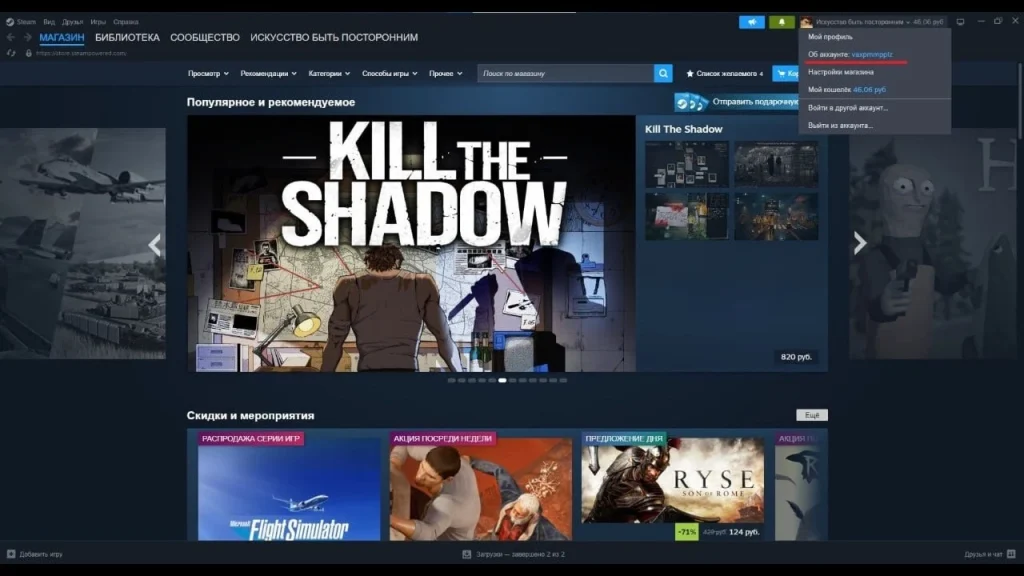
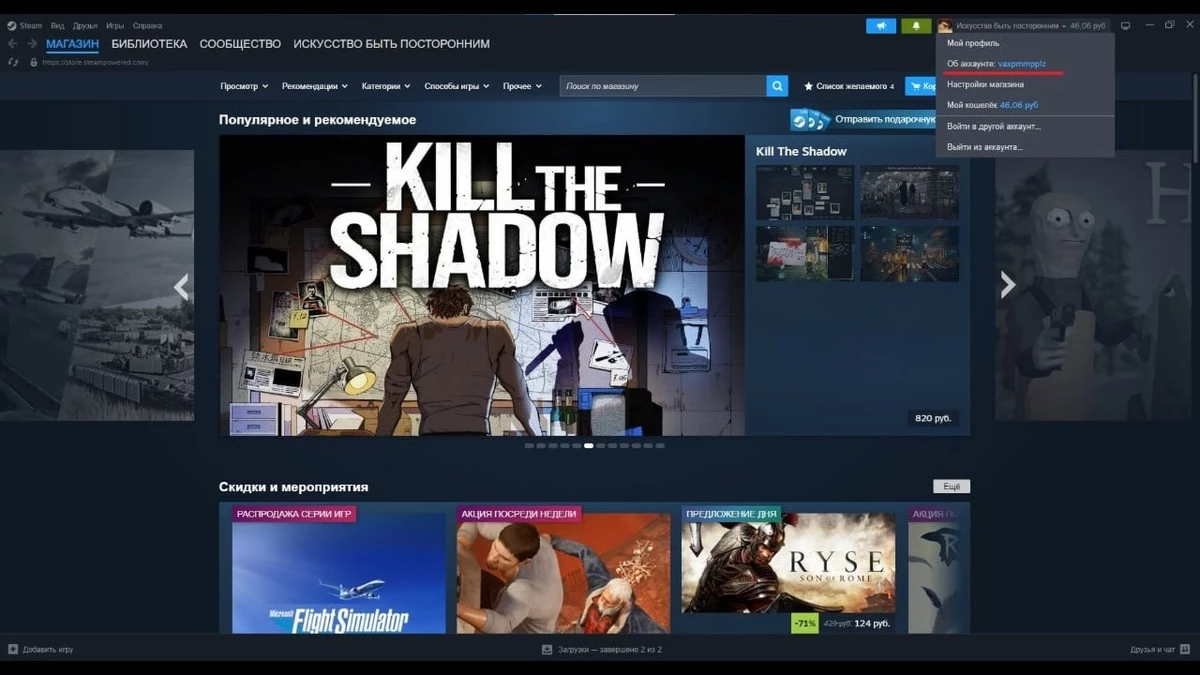
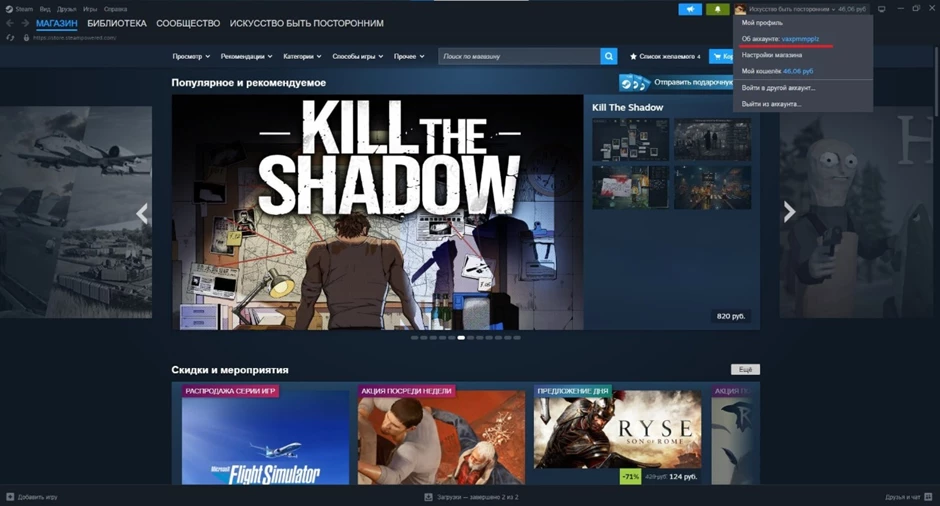
You can find your login information in the client: click your profile name in the upper right corner, select “About Account” and look at the “User Accounts” row. The nicknames seen by friends are not suitable for restocking.

How to top up your Steam account
Take BattlePass as an example of the process.
Step 1. Copy your login information
Copy the value in the User Account row. You should not type from memory: logging in incorrectly may result in failure to complete the operation or incorrect registration.
Step 2. Open the replenishment page
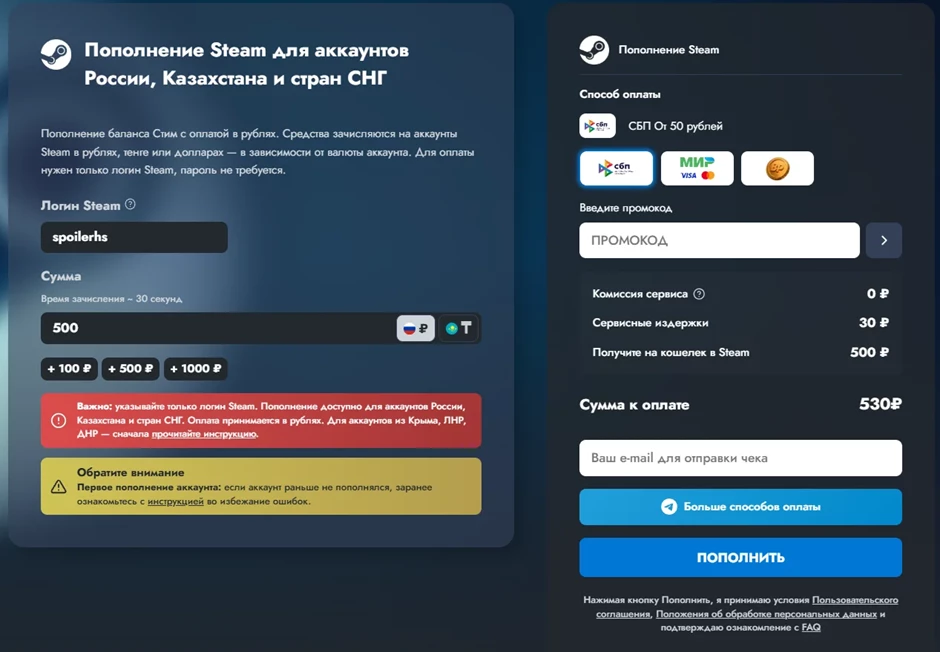
Top up your Steam account You can access service pages through a browser, computer or mobile phone. Check the website address before entering your data.

Advertisement B-Pass, LLC TIN 9703154201 erid: 2Vtzqud1Aq2
Step 3. Enter your login name and amount
The login name is inserted into the “Steam Login” field, and the amount field indicates what should be sent to the wallet. For a ruble account, the amount of a transaction is from 50 to 15,000 ₽, and for a tenge account, the amount of a transaction is from 350 to 75,000 ₸.
Step 4. Select payment method and check calculations
Russian bank cards (MIR, Visa and Mastercard issued in Russia) and SBP can be used. Before making a payment, the form will show the amount that will be deposited into your wallet and the amount you need to pay.
Step 5. Make payment and check balance
According to the service, funds arrive within 30 seconds on average, and in rare cases up to 5 minutes. The balance is visible next to the profile name in the client.
How much does it cost to fund your account?
The total amount due may differ from the credit amount. For BattlePass, the typical final markup is around 4-6%, depending on the amount and payment method. The first deposit into a personal account is subject to a 0% service commission.
The form will show the exact amount you should focus on before confirming payment.
Can I prepay for a friend’s Steam account?
To top up via login, the form only requires a login, so you can also send money to a friend’s wallet if you know the recipient’s exact login information. The process is the same as for your account, with some slight differences.
You need to find your friend’s own login information and the login information in “About Account”. The name in the Steam friends list doesn’t work: it’s the nickname, not the account name. There is no need to ask for a password; it is not used for replenishment.
Check the currency in his wallet. Your friend’s account may be in a different region than yours, which means the deposit currency may also be different. The amount in its balance will be displayed in the calculation table.
Before paying, please check your login information again, going through the symbols word for word. If someone else’s account name appears on the order, it may result in a crediting error.
How to check if funds have arrived to the correct account
If you have already funded your account, open the Steam client: the new balance will appear next to your profile name. If the amount has not changed, restart the client; the interface will sometimes show the old value.
If you add money to a friend’s account, only he or she can view the balance. Tell him when and how much the payment will be, and show him his wallet. You have your order number, so if something goes wrong, please contact support.
Fund a new Steam account
For new accounts where financial transactions have not yet been made, the first deposit may have its own characteristics, including changing the account’s region or currency. The service page warns about this, and there are separate instructions for such accounts.
If your account was recently created, please read the current instructions before making a payment.
Steam account top-up limit
For one operation, the maximum limit for BattlePass ruble accounts is 15,000 ₸, the limit for tenge accounts is 75,000 ₸, and the minimum limits are 50 ₽ and 350 ₸.
Additionally, the daily limit is 150,000₽. According to the service, it applies to all Steam top-ups made every day, not just those made through specific websites. If the account has been topped up with that amount elsewhere on the same day, the next deposit may not be completed.
What does not need to be reported when replenishing goods
For direct deposit via login as described, no password, Steam Guard code, email access, or account transfer are required. If your form specifically for this type of replenishment unexpectedly asks for this data, double-check the website address and terms of service.
Why can’t I use my login information to fund my Steam account?
If the form does not create an order or funds do not arrive, please review the checklist:
1. The order contains a nickname instead of the login name or the login name is misspelled. Check against the User Account row.
2. The selected top-up option is not supported for the account region or currency. In this case, the Service may not allow you to establish an order.
3. This account is new and no financial transactions have been made yet. The first top-up of such an account has its own characteristics; they are described in the service description.
4. Daily limit reached: According to the service, the daily limit for all Steam top-ups is 150,000 ₽.
5. The payment has been processed, but the order is still being processed. Wait up to five minutes and then restart the Steam client.
If the login name specified is correct and the replenishment does not arrive within five minutes, please write to service support and include the order number, amount, date and login name. There is no need to place a second order before responding: if the first job is still being processed, this may result in a second replenishment. Current limits and account requirements are shown in Steam supply page.
Frequently asked questions about replenishing your Steam account
Can I top up my Steam account from Russia?
Yes. Steam itself does not accept Russian cards, but you can top up your account by logging in through the direct top-up service and paying in rubles.
Which Steam accounts can be topped up with?
The directive’s service supports accounts from Russia, Kazakhstan and CIS countries with wallets containing rubles, tenge or US dollars.
Can my Steam account be topped up with rubles?
Payments are accepted in rubles. If the wallet is in rubles, rubles will be added to the balance. If not, points will be calculated in the account currency.
Can I top up a friend’s Steam account?
Yes, if the friend provides his login information. The nickname in your friends list is not suitable for adding.
Do I need a password for my account?
unnecessary. For said login credits, no password or Steam Token code is required.
Can I top up a new Steam account?
able. However, if no financial transactions have been made on the account yet, there may be some special circumstances when recharging for the first time, including changing regions or currencies. Before making payment, you should read the service description for your new account.
Why can’t I top up Steam using my login name?
Possible reasons include: login error, account location or currency that is not supported by the selected top-up option, first-time top-up functionality for a new account, or daily limit exhausted.
Can I top up my Steam account via mobile phone?
Yes. The recharge page opens in the mobile browser, and the login information can be viewed in the “About Account” section of the Steam website.
How long does a stored value account take?
According to the service, it takes 30 seconds on average and up to 5 minutes in rare cases.
Can I top up my Steam account commission-free?
When you recharge for the first time, log in to your personal account and then make payment, the service commission is 0%. Then the final markup is usually 4% to 6%.
How much money can I deposit into my account at one time?
The maximum limit is 15,000 ₽ for ruble accounts and 75,000 ₸ for tenge accounts. According to the service, the daily limit for all Steam top-ups is ₽ 150,000.