
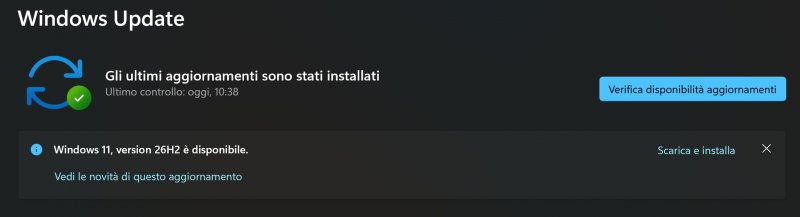
Microsoft has started releasing Windows 11 26H2, also known as Windows 11 2026 Update. The program began targeting PCs running Windows 11 24H2 and 25H2 on September 29, and will be gradually implemented through Windows Update.
However, the new version does not introduce a completely different operating system compared to the previous version. In fact, Microsoft uses the same core and the same system files for Windows 11 24H2, 25H2 and 26H2, bringing many new features through normal monthly updates.
New features and installation updates
For compatible computers, you can migrate to 26H2 through the KB5121794 support package. Before installation You need to have Windows 11 24H2 or 25H2 and the September 22 cumulative update KB5124010or higher. The package requires a small download and only requires a computer restart.

The most obvious changes are new file manager. There are AI-driven actions for certain images, the ability to get summaries of files stored in OneDrive and SharePoint, and new quick actions designed for work and school accounts. Microsoft has also expanded support for compressed storage formats.
Microsoft changes everything for Copilot: Now AI can create, delegate, and automate work


Windows Search has also received some intervention. system Improved handling of typing errors and partial application namesdisplays a more useful preview and more clearly differentiates between different categories of results. Frequently used folders can also be automatically indexed to speed up searches.
Microsoft has also made efforts on accessibility. Magnifying glass offer More precise zoom control and new screen tint options, while Narrator incorporates a Braille viewer and further improvements. On compatible Copilot+ PCs, voice access also extends to natural language-based commands.
Other changes involve the interface. Start menu and taskbar offer new customization possibilitiesincluding different Home menu display and resizing modes, additional positions for the taskbar, and modes for reducing its size. Task Manager can also display NPU usage and new memory information.
Something to consider is that many of these features didn’t originate from 26H2. They were gradually distributed through Windows 11 24H2 and 25H2 last year and are now collected in the new version. Additionally, Microsoft continues to use controlled deployment: even after installing 26H2, some features may not be immediately available on all PCs.