
Owners of GeForce graphics cards are reporting excessive write activity on their SSD caused by Nvidia drivers. Just a few days ago, AMD released a driver patch that addressed the exact same issue with its Radeon graphics cards.
Image Source: VideoCardz
The issue reportedly affects the Nvidia Display Container service, which can continuously write data to the system drive even when the computer is idle. According to some users, the amount of data recorded reaches 30 GB per hour. According to data collected by the TroubleGrid resource, as well as discussions on the official Nvidia forums, the NVDisplay.Container.exe process is responsible for this. The service continuously writes information to a binary log file called nvlog.nvlgstg, located in the Nvidia Corporation directory (in the ProgramData folder). Instead of appending new data, the process appears to overwrite the entire file, resulting in multiple writes to disk.
Users attribute increased write activity on SSDs to GeForce driver version 621.14, released on November 4th. During one of the tests, it was recorded that about 515 MB of data was written by the process in five minutes of system downtime, while when using the 621.01 driver this figure was less than 2 MB. Another user reported recording over 3GB of data in ten minutes, and another case involving the 621.24 driver mentions around 30GB per hour. These numbers reflect the activity of a particular process and do not necessarily correspond to the exact same amount of data physically written to the SSD.
The problem can occur even on systems where Nvidia’s video recording and overlay features are disabled. Some users have noted a decrease in disk activity after disabling ShadowPlay-related features, but for others the problem persists. Similar complaints about background logging by Nvidia have appeared in past years, which suggests that this software behavior is not a new phenomenon.
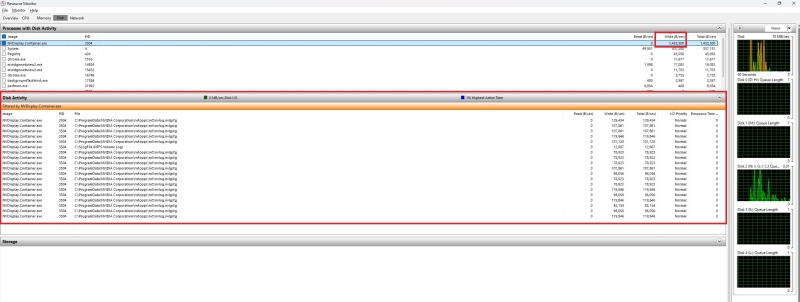
Image source: Wccftech
Users experiencing this issue can check disk activity using Resource Monitor in Windows by going to the Disk tab and looking for the NVDisplay.Container.exe process. Some users were able to temporarily reduce the amount of recording by stopping the Nvidia Display Container LS service, deleting the problematic log file, and restarting the service. Others report that rolling back to driver version 621.01 solves the problem. However, completely disabling this service may lead to disruption of the Nvidia Control Panel and the Nvidia App.
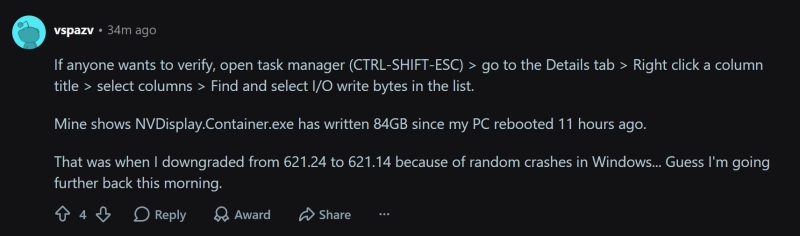
Image Source: Reddit
AMD recently addressed the problem of excessive data writes to the system disk by releasing Adrenalin driver 26.11.1 on November 12th. Nvidia has yet to publicly respond to the reports, and the release notes for its latest 621.24 driver do not mention the issue.
If you notice an error, select it with the mouse and press CTRL+ENTER.