
Earlier this month, Microsoft released the security update package KB5121003 for Windows 11. It is currently known that in some cases, installing this patch can have a negative impact on the stable operation of the game and can cause other glitches. Based on user reports, spontaneous application shutdowns have been observed in ARC Raiders and The Finals games. The studios behind these projects blame Microsoft for the failure.
Image source: Microsoft
“We are aware that the release of Windows update KB121003 has introduced a new glitch that may affect some people. The team is working on a fix and we will keep you updated.””, said Embark Studios (developer of ARC Raiders) on Discord.
KB121003 is a mandatory update for Windows 11 released by Microsoft in August this year. Once installed, the build will be upgraded to 26200.9168 for Windows 11 25H2 PCs and to 26100.9168 for Windows 11 24H2 devices.

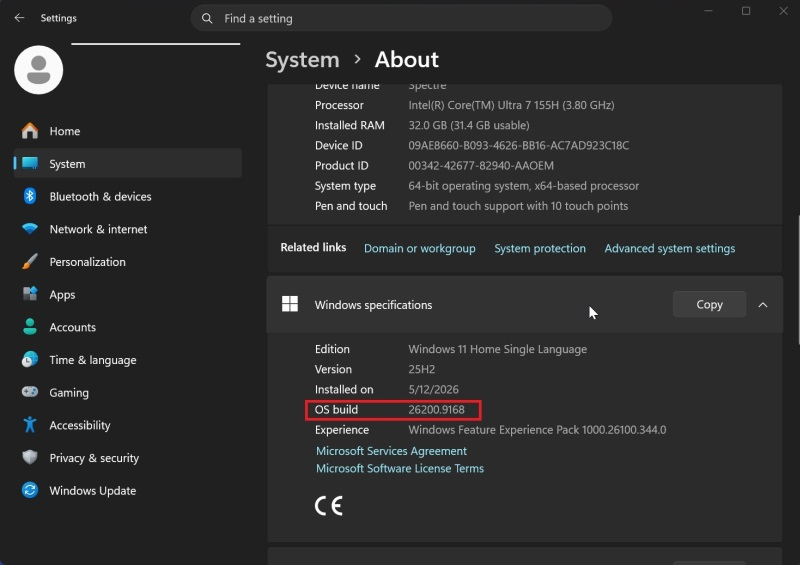
Image source: windowslatest.com
Soon after KB121003 was released, gamers began reporting issues with ARC Raiders for the first time. A Reddit user posted that “ARC Raiders” began to shut down spontaneously during the game. This happened after installing the August patch for Windows 11. It was also previously learned that the Microsoft update itself causes multiple reboots during the installation process, due to the installation of Secure Boot credentials. Exactly how the patch affects said games remains unknown.
Update KB5121003 appears to break compatibility with inpoutx64.sys, a third-party kernel-level port access driver used by some hardware utilities and other applications. “This crash is related to inpoutx64.sys, which has changed since a Windows update. We are working on a long-term solution, but in the meantime, there is a temporary solution that will allow you to safely delete the files in question and play normally.”Embark said in a statement. It also provides instructions on how to do this.
Some users reported that deactivating the inpoutx64 service and restarting the computer was enough to resolve the issue. However, Embark’s workarounds include stopping the service and deleting it, as well as deleting the inpoutx64 archive itself. Microsoft has not yet commented on the issue, so it’s unclear what changes the patch makes to inpoutx64.sys.
Also note that the KB5121003 update can cause a number of other issues on some PCs. There are reports on the Internet that after installing the patch, graphics-related issues such as a drop in screen refresh rate and failure of HDR mode will occur. In addition to this, some users have also noticed issues with Windows Hello.
If you find an error, select it with your mouse and press CTRL+ENTER.