
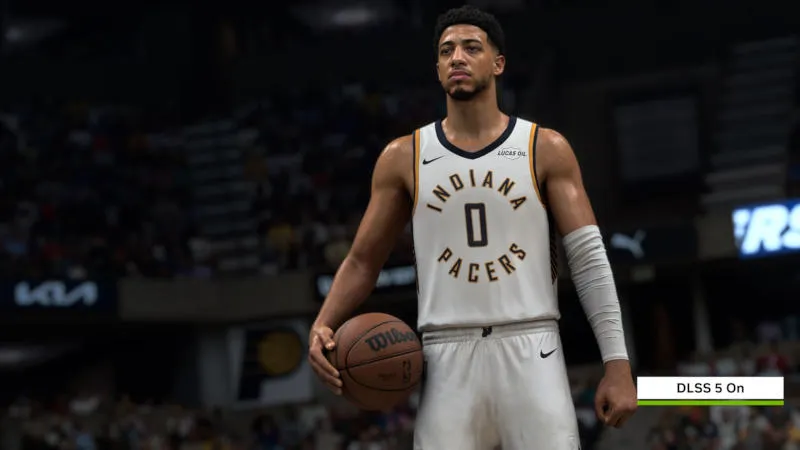
Nvidia officially released DLSS 5 using 3D guided neural rendering technology. The first game to support it is NBA 2K27. The new feature is available in the GeForce NOW Ultimate cloud service on desktop and mobile GeForce RTX 50 graphics cards, as well as servers equipped with RTX 5080.
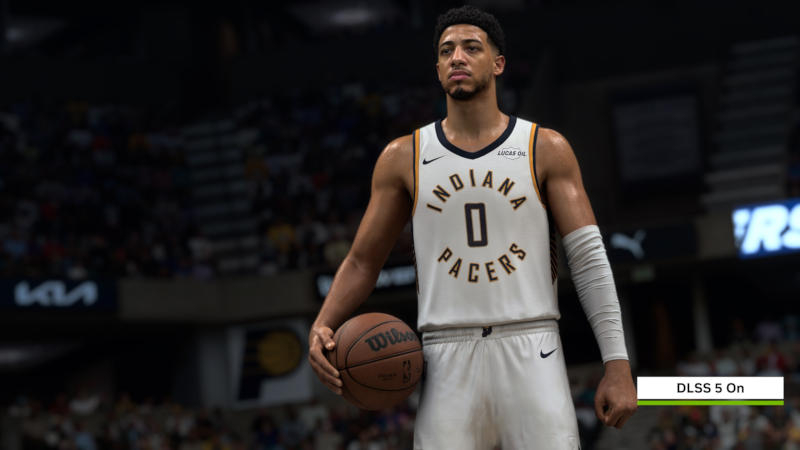
Image source: nvidia.com
3D Guided Neural Rendering uses game engine data, including geometry, textures, lighting and motion information, to use neural networks to change the lighting and appearance of objects. In NBA 2K27, developers Nvidia and Visual Concepts leveraged technology to deliver more realistic subsurface light scattering on skin, hair lighting and contact shadows while maintaining original player geometry.
Nvidia also confirmed that DLSS 5 will officially run on GeForce RTX 40 graphics cards in the future. Currently, the company is focused on optimizing the technology for the RTX 50 and plans to add support for the previous generation later.
Shortly before the official release of “NBA 2K27”, the DLSS 5 library was leaked, allowing enthusiasts to run the technology not only on GeForce RTX 40, but also on RTX 30 and even RTX 20. However, the performance and stability of running on these graphics cards vary, and Nvidia officially only promises to support RTX 40 and RTX 50.
“DLSS 5 is our most resource-intensive model to date. We have increased productivity five times since its initial release in March, with more improvements to come. We are currently focused on optimizing the performance of the GeForce RTX 50 Series and expect a neural network model update later this fall. Once the performance of the RTX 50 is more thoroughly optimized, we plan to officially support the GeForce RTX 40 Series.” Nvidia said.
There are fewer options for players to customize DLSS 5 compared to the experimental implementations of the technologies provided. In most games, users can only enable or disable this feature using a switch. The selection of models, the intensity of structure and tone, and the customization of masks are primarily for developers, although in some games some of these parameters may be available to users.
If you find an error, select it with your mouse and press CTRL+ENTER.