Adapting apps has always been a challenge for smartphones with foldable displays. Today, the situation has improved significantly, but the problem has not yet been completely solved. Apple teased Android smartphones for showing apps running on their internal screens with black bars on either side, but it turns out iOS can’t escape that fate either.
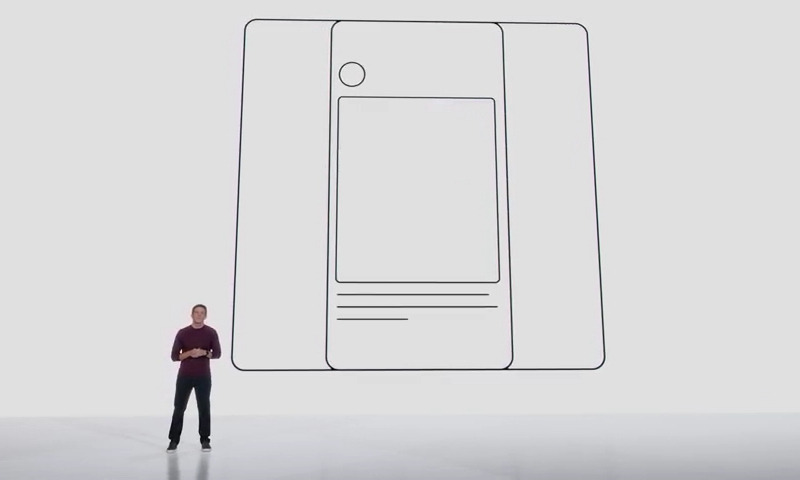
Image source: Apple
At the start of the iPhone Duo presentation, new Apple CEO John Ternus criticized other manufacturers that have released foldable devices, and the video demonstration accompanying his presentation illustrated the problem of the huge amount of available space on either side of the display. “other [компании] They’ve created foldable devices that look like two smartphones awkwardly stuck together. The result is a square screen that’s less suited to the way people use it. Scrolling vertical content becomes awkward, and movies are framed by giant black bars that make the big screen appear much smaller. “– said Mr. Turnus.
This was a real problem when foldable Android devices first came out. Android apps have always scaled well, but the unique form factors of the first models often required odd compromises. Some simply don’t fit in formats other than the standard aspect ratios of typical smartphones. So Instagram has a tablet interface✴ It appeared on foldable Android smartphones before the iPad.
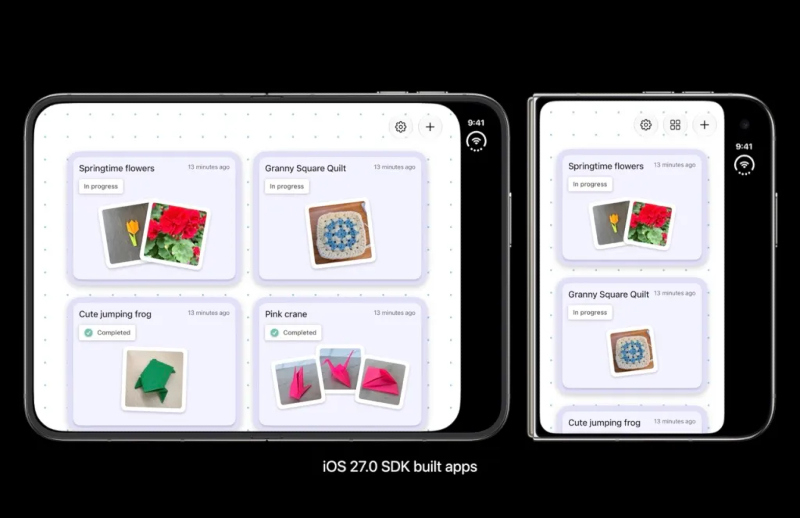
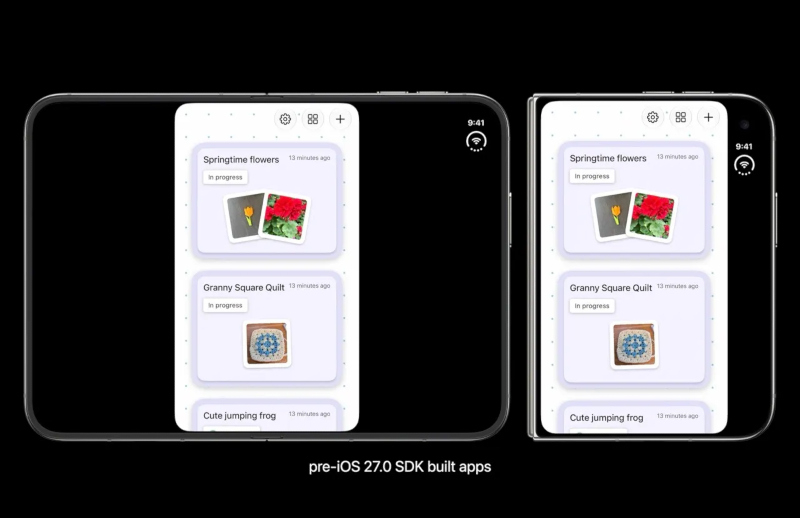
But it later turned out that Apple had stepped on the same rake. If the app has not been updated to support iOS 27, the app interface will appear on the iPhone Duo’s internal display in a vertical format, rather than full screen, with black bars on either side. With the support of the first version of iOS 27, it is possible for the application interface to adapt to wide screens, but it still cannot occupy the sidebar area.
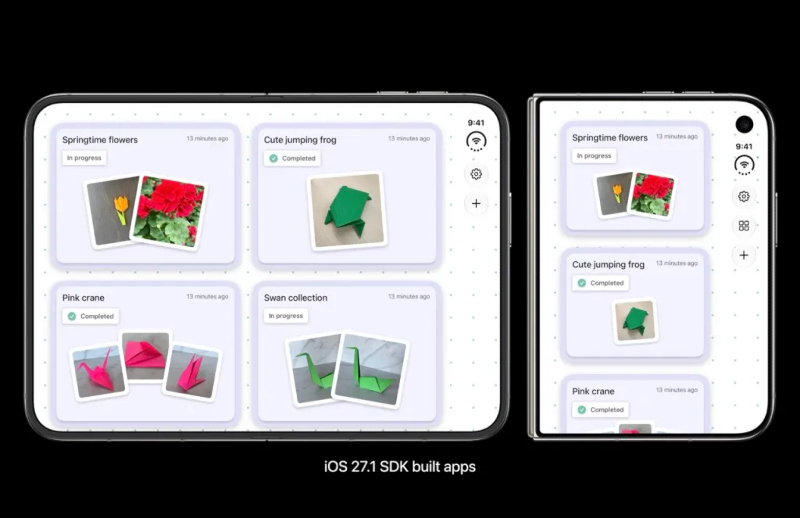
And only support for iOS 27.1 will completely solve the problem – apps start taking up the entire width of the screen. As always, Apple has a strong ecosystem – iOS app developers will likely embrace new form factors faster than Android app creators.
If you find an error, select it with your mouse and press CTRL+ENTER.