
After releasing the stable version of Android 17 QPR1, Google also distributed beta 5 on Android 17 QPR2 Available for Pixel devices. As always, this release focuses on Bug fixes and various issues This may impact user experience. Additionally, a new tile has been added to Quick Settings. Let’s take a look at all the details below.
What’s new in the fifth beta
this is a Convenient fix summary Production:
- Fixed the following issues: Change Bluetooth device type In settings it did not cause the associated icons to visually update. (Issue #516071134)
- Fixed system stability issues Device restarts unexpectedly When continuously scrolling the UI in an application with high media load. (Issue #544291113)
- By pressing the physical volume buttons while streaming, System volume slider Nothing is shown. (Issue #548145018)
- Fixed text display issues caused by Unexpected background highlights appear A navigation routing issue that prevented private spaces from unlocking correctly when typing in the search field has been resolved. (Issue #548285596)
- this Advanced HDR mode Although deactivated in user settings, it remains active. (Issue #547457910)
- the beginning of Google Wallet Using the power button shortcut causes the touch screen to freeze. (Issue #549758084)
- this camera is broken When processing panoramic photos. (Issue #551069625)
- Bluetooth audio function Noise and distortion After ending or answering a call. (Issue #541684282)
Android 17 QPR1 officially comes to Pixel: here’s all the news


Other changes
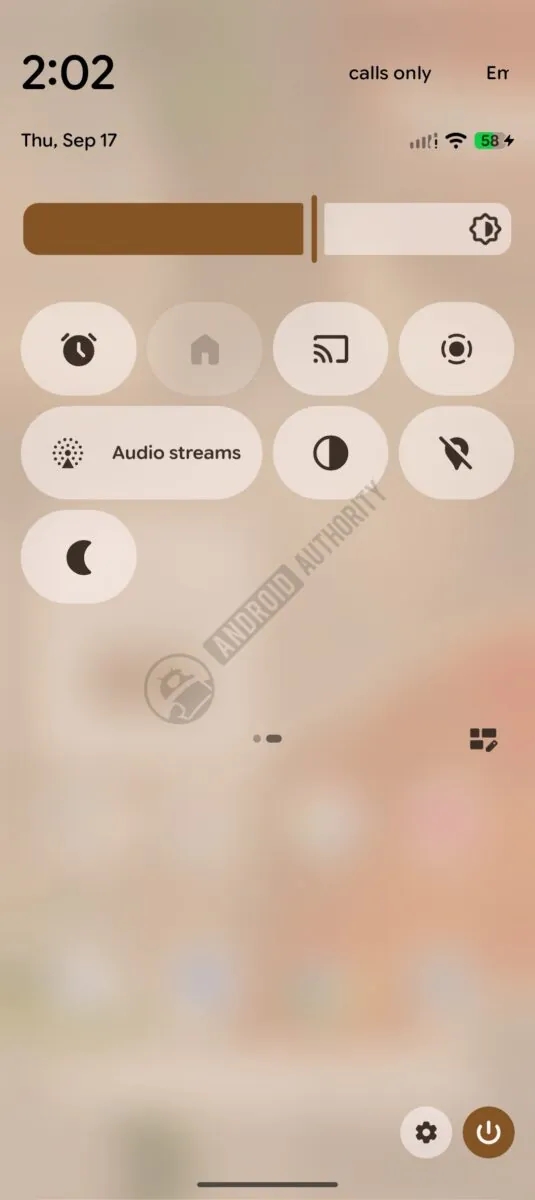
According to colleagues at Android Authority, there is a A new pane called “Streaming Audio”which allows you to quickly connect to an active Auracast stream.

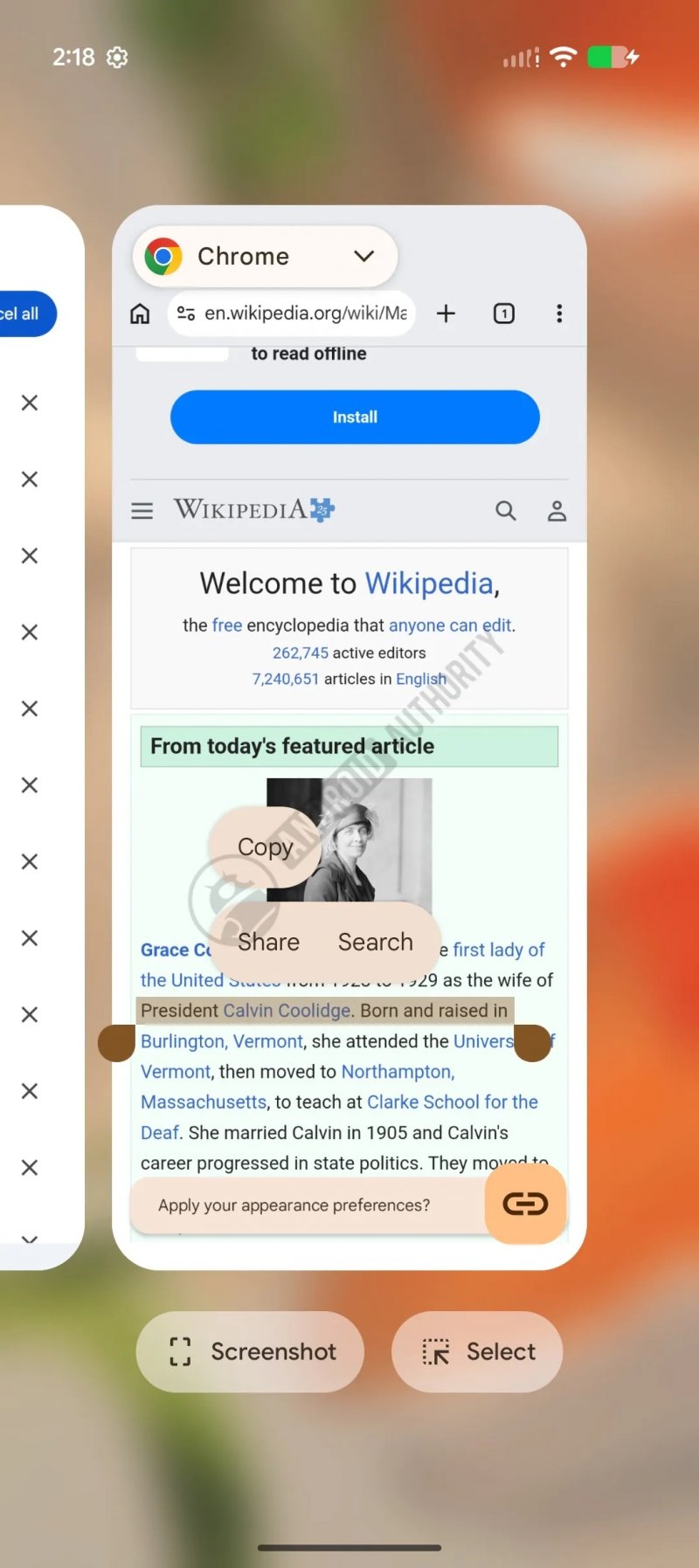
There is a small change to the selection menu when showing recent apps, but it’s a minor one:

Google decided to bring back the media player and the quick settings brightness bar reorganization. In addition, the “Battery” option in “Settings” has been renamed “Battery & Charging.”