
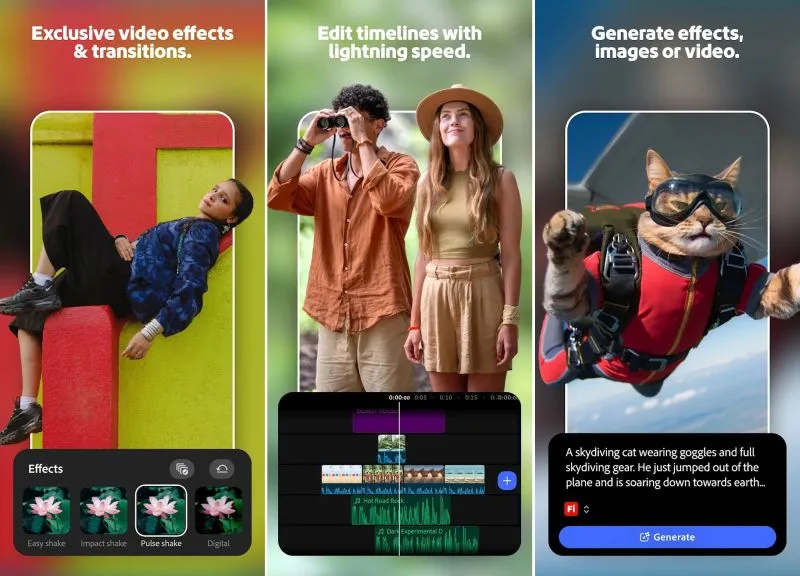
Video processing has never been the strong point of Google Android devices, but that’s largely due to the lack of easy-to-use software. Under its new CEO, Adobe decided to correct this omission by offering a free version of Premiere with a bunch of nice features.
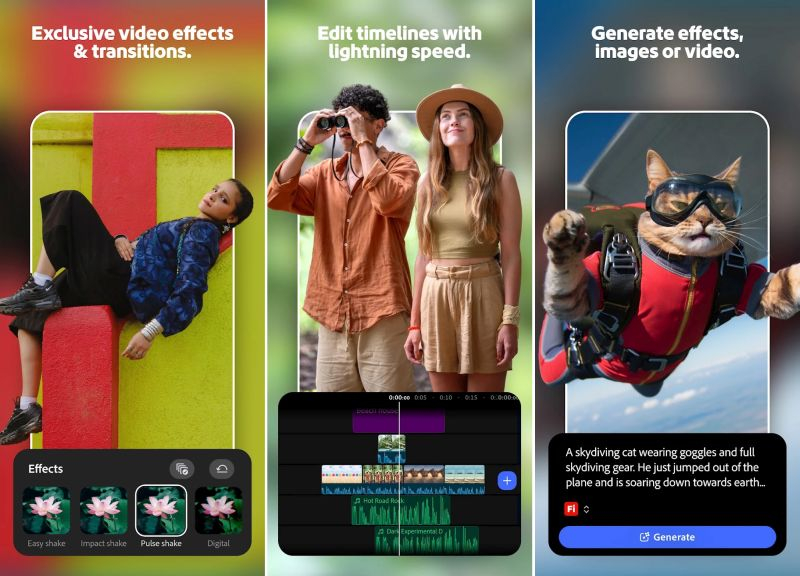
Image source: Adobe
Sure, the Android version of Premiere isn’t as feature-rich as the desktop version, but it’s significantly better than the soon-to-be-retired Premiere Rush. In the new version, you can import an unlimited number of video sequences, trim and split them, add effects and export the results in resolutions up to and including 4K. You can add voice memos, reduce background noise, and extract audio from clips. By default, the app is set up to use the vertical 16:9 video format, which is suitable for YouTube Short, but you can change this in settings.
On a standard smartphone, the editable video bar is at the bottom of the screen and the preview is at the top. According to the developers, Adobe Premiere works on a variety of device form factors. For example, on foldable smartphones, the video bar is placed to the right of the video when expanded on the internal screen, but primarily when using a vertical format. If you switch to landscape orientation, you can manually change the relative positions of the video bar and video window.
represent technical art We were able to test Premiere for Android on a Google Pixel smartphone, and they noted that clips were able to be imported even at 4K resolution and high bitrates, although they noted that importing and exporting footage could take several minutes. A three-minute video in 4K60 quality takes about three minutes. To work with Android, the app requires a device with at least 5 GB of RAM. Adobe Premiere is also optimized for the Googlebook series of notebook computers. You don’t even need a Creative Cloud subscription to use the app, but the AI tools are only available with a Creative Cloud subscription. In the latter we can note the generation of videos from text or pictures, and you can choose between a good set of AI models: Google Firefly, Veo, Omni, Luma Ray and Kling.
AI video production in the free version of Premiere is limited to 250 points allocated per month. Clips created using Veo Fast require 80 credits, while Firefly requires the full 250 credits for a clip. To increase your monthly Points limit to 1,200, you’ll pay $8 per month or $70 per year.
If you find an error, select it with your mouse and press CTRL+ENTER.