

Microsoft announces new Co-Pilotaims to move beyond the role of a simple AI-based assistant. The new approach brings together everyday work tools and capabilities, allowing you to create solutions, automate tasks, and delegate more complex processes.
New experience focuses on ability to work with co-pilot No need to choose which tool to use every time. In fact, Microsoft is building an environment where chat, automation, development and agents can coexist and, in the future, let Copilot itself direct each request to the most appropriate functionality.
Home, Code and Autopilot change the role of co-pilot
New interface introduced Home as the starting point of unity. Here, Chat coexists, designed to provide answers, drafts, and research, while Collaboration is designed to Delegate complex tasks from start to finish. In upcoming updates, Microsoft is also providing automatic routing of requests between chat, collaboration, queues, and other available features.

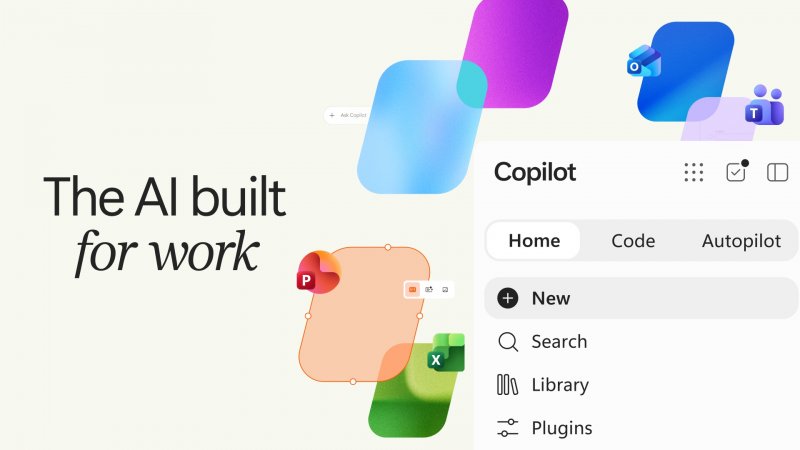
Code enables application and automation development beyond the traditional developer audience. Describe what you want to achieve in natural language and get solutions like apps, dashboards, and automations. This feature uses the technology behind GitHub Copilot and operates through a sandbox environment and the new Copilot Managed Runtime.
ChatGPT, some chats can be reviewed by humans – here’s how it actually works


Autopilot, formerly known as Scout, represents the most autonomous element of the new platform. Microsoft describes it as Digital colleagues with their own identitiesMemory, computing resources, and workspace in enterprise environments. With Microsoft IQ, even if the consumer is inactive, it can use the organization’s context and continue working in the background. Home and Code will be available through the Frontier program in the coming weeks, while Autopilot will enter private preview at the end of September.
Microsoft also brought Use Word, Excel and PowerPoint directly in Copilot and use Office in Copilot. The system allows you to instantly synchronize your work between Copilot and Office applications, maintaining format and allowing collaboration with colleagues without constantly switching between applications.
The new co-pilot will also be able to rely on Wider business context. Fabric IQ integrates an organization’s data and provides Chat and Cowork with a shared understanding of business information, and integration with Code will occur later in the Frontier plan. Work IQ, scheduled for public preview next month, will extend Copilot to Dynamics 365 and Power Platform data and workflows. The goal is to overcome the separation between different applications, allowing AI to use information from multiple systems, such as the history of business opportunities or support tickets, without interrupting workflow.
By the end of this month, Microsoft will launch it too New plugin registrya centralized directory for deploying and managing Microsoft, partner, or internally developed plug-ins. Plug-ins will be able to connect Copilot to other business data and operations. On the development side, Copilot Managed Runtime has also been launched and is now in public preview. It is a platform designed to run code and applications in enterprise Microsoft 365 environments, with centralized management of hosting, identity, data access and lifecycle. Microsoft supports solutions built with Cowork, Code, and Copilot Studio, and provides access to professional and third-party developers.
Finally, transformation also involves cost management. Microsoft has launched new capabilities to control and optimize artificial intelligence spending through Agent 365, Insights and Microsoft Copilot, linking resource usage to the value generated by activities.
Upcoming news includes Today at Home, A command center that brings together email, calendar, Teams conversations, meetings, and tasks Highlight matters that require attention and prepare for action, such as drafting or changing appointments. A private preview is scheduled for October. By the end of September, @Copilot will be available in private preview in Teams, which will allow you to call assistants in chats and channels to restore shared context and facilitate coordination between workgroups.
Nothing else seems to matter now: What do you think? Do you like the approach Microsoft provides for Copilot? Let us know your thoughts in the comments below.