

Google Gemini now has integration with Google Wallet. The new feature allows you to track expenses, find unnecessary subscriptions and plan your budget. Just like ChatGPT, which introduced a wallet feature today (ChatGPT Wallet), users will be able to receive information directly in the chat.
Image source: AI
To interact with the wallet, like reports in your Google god, you need to add the phrase @Google Wallet to the request to Gemini. For example, you might ask to review your expenses for the previous quarter and suggest ways to save $1,000 over the next three months. In response, AI will be able to create dynamic graphs of cash flow, asset allocation and budget.
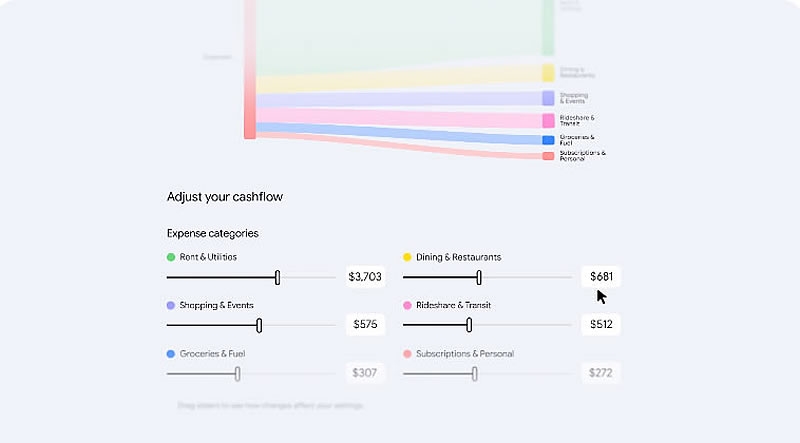
Image source: Google
Another opportunity involves looking for recurring payments. Gemini will be able to find subscriptions that the user continues to pay for and notify if their prices increase. The AI can also look at last year’s spending on gifts and travel to help determine your budget for the upcoming holidays. For more financial-related information, users can optionally connect their bank accounts and credit cards to Google Wallet through the Plaid service.
Image source: Google
Google emphasizes that Gemini only gets access to read financial information and cannot transfer money, manage accounts or make investments. Wallet connection remains voluntary, and the user can disable the integration at any time.
At the same time, the company introduced an updated Memory Summary feature, which allows you to view and edit information about preferences, interests and goals remembered by the chatbot. Integration with Google Wallet extends to the web version and applications for Android and iOS, but is currently only available to users in the United States.
If you notice an error, select it with the mouse and press CTRL+ENTER.