Microsoft has released update KB5132057 for Windows 11 26H2 and 25H2, which introduces a long-awaited update to the search function, significantly increasing its convenience and practicality.
Image source: TechPowerUp
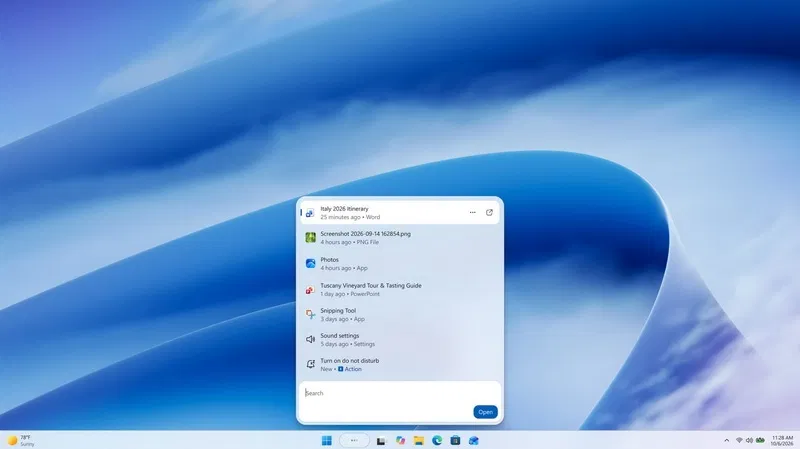
The new search bar allows you to perform thousands of quick actions using simple text commands, such as “switch to dark mode,” “turn on Bluetooth,” “dim screen brightness,” “mute,” or “minimize all windows.”
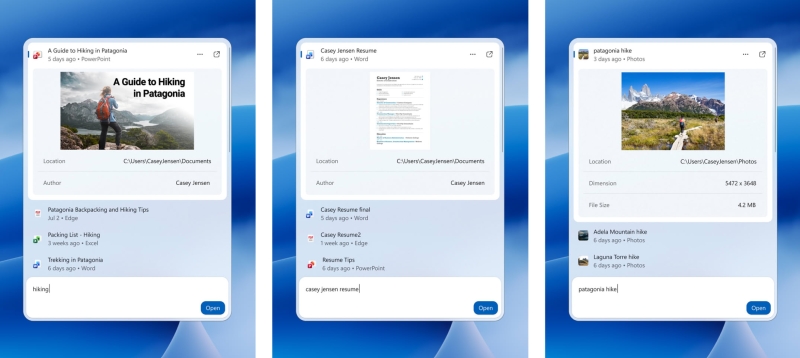
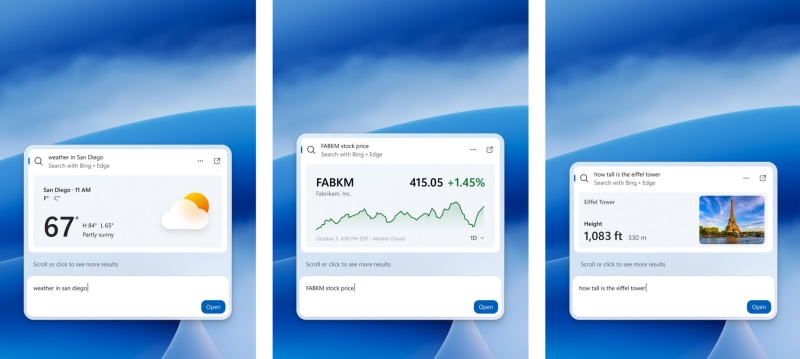
In addition, features associated with the Phone Link app are available, such as sending text messages from a connected smartphone, as well as the ability to get weather, stock quotes and other information directly from the search bar.
For enthusiasts, the most interesting aspect will likely be the technological basis. The new search is built on WinUI 3, which Microsoft says improves performance and reduces system resource consumption. According to the results of preliminary testing, it was possible to achieve significant improvements in both operating speed and RAM efficiency.
The new interface presents search results in a single list, replacing the previous design with a large preview panel. It is expected that the search system will become better at recognizing typos and synonyms, and will also be able to display more detailed information about files and web page previews.
The Copilot assistant is also integrated into the search. Its answers are displayed directly in the search results, and a special shortcut is provided to launch a full-fledged application. This update is a continuation of changes made in July, during which ads and promotional content were removed from search, and an option was added to hide offers from the Internet and the Microsoft Store.
Microsoft notes that at this stage the updated search is only available in English. The system now copes with typos much more effectively, making interaction with the OS through search more convenient and smoother.
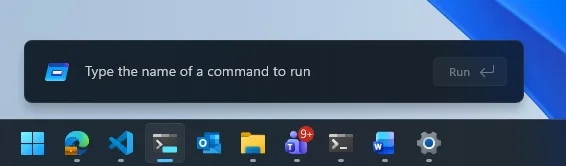
Other new features in KB5132057 include an improved Run dialog box, a new feature for Windows Hello that briefly increases screen brightness for more accurate facial recognition in low-light conditions, and a shift from searching in This PC (in File Explorer) to using the indexer. Thanks to this, the search has become much faster and now functions in the same way as the search on the main page of Explorer.
At Microsoft clarifythat the KB5132057 update is being rolled out in stages, so it will become available to all users gradually.
If you notice an error, select it with the mouse and press CTRL+ENTER.