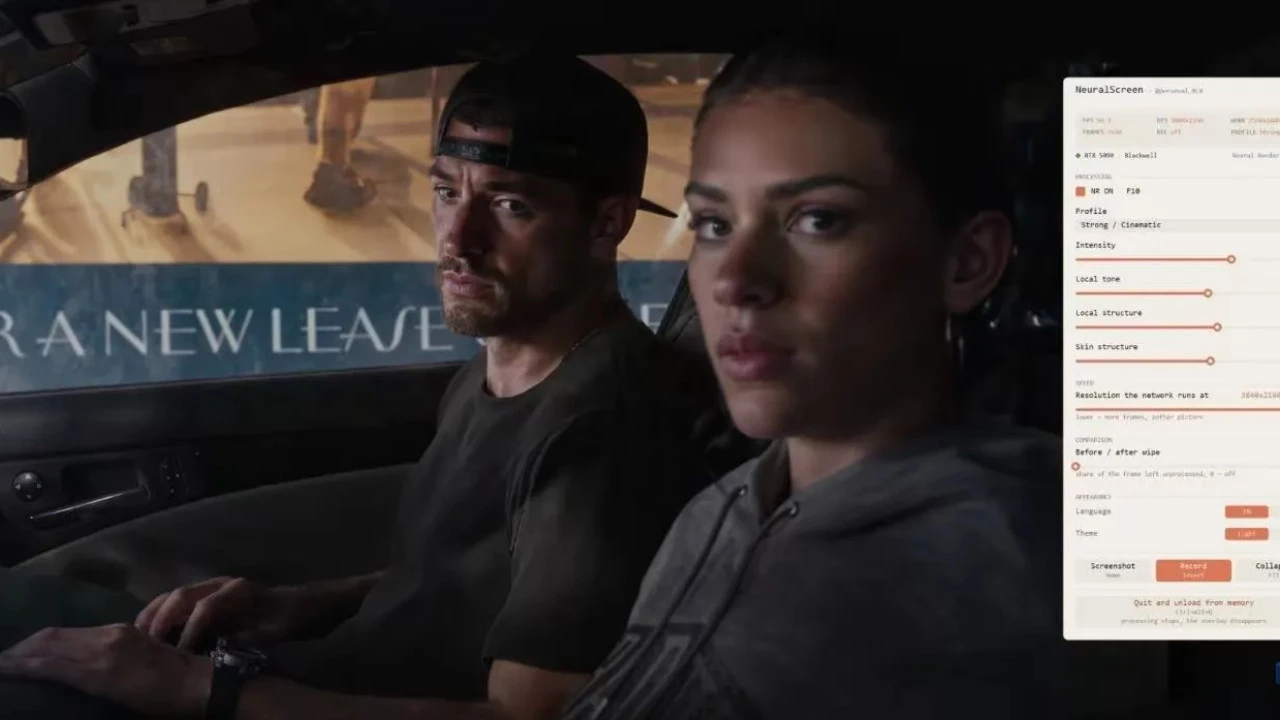

Thanks to the developer community, NVIDIA DLSS 5 Neurofilter is rapidly expanding its application boundaries. The creator of this utility neural screening Going by the nickname perseval_BLR, he found a way to apply neural network processing algorithms to everything displayed on the Windows 11 desktop. The program does not require direct integration into the game engine – it captures the screen, runs each frame through the original nvngx_dlssnr.dll library, and displays the results as a full-screen overlay on top of the desktop.

As a result, DLSS 5 effects can now be applied to browser windows, video playback, photos, and any game in frameless or windowed mode. In the utility menu, users can access ready-made post-processing profiles (from faithful to extreme overdrive), parameter fine-tuning, and convenient sliders for comparing “before and after” images.

On a test bench equipped with a GeForce RTX 5070 Ti, processing the desktop in native 4K reduced the interface frame rate to 42.9 fps, while switching the working resolution of the neural network to 1440p raised the bar to a more comfortable 65.3 fps. Furthermore, the author constantly warns fans of competitive multiplayer games – using this kind of injection and overwriting of DLSS libraries will definitely result in a ban from vigilant anti-cheaters.