Last week, Microsoft released another security patch package, KB5124008, as part of its Patch Tuesday program. It contains hundreds of fixes and is designed to be installed on Windows 11 25H2 and 24H2 computers. It turns out that in some cases, installing KB5124008 can cause your computer to lose sound or even impair the functionality of your microphone. Microsoft has acknowledged the problems but has yet to resolve them.
Image source: Microsoft
Sources said that the audio subsystem failure on Windows 11 computers is not the only problem that users may encounter after installing the above update package. Posts on forums indicate that the update may break File Explorer in Windows 11, corrupt backups, and break Claude Cowork and other applications that rely on Linux-based virtual machines. Under certain circumstances, problems may occur with the operation of the remote desktop and graphics subsystem on PCs using AMD processors.
Microsoft has acknowledged many of these problems. Regarding audio issues, an updated document on Microsoft’s support site states that some audio devices “Audio may not start or play” After installing the latest Windows updates. Users who encounter this issue will find that there is a problem with audio playback in the application, and simply increasing the volume or changing settings will not solve the problem.
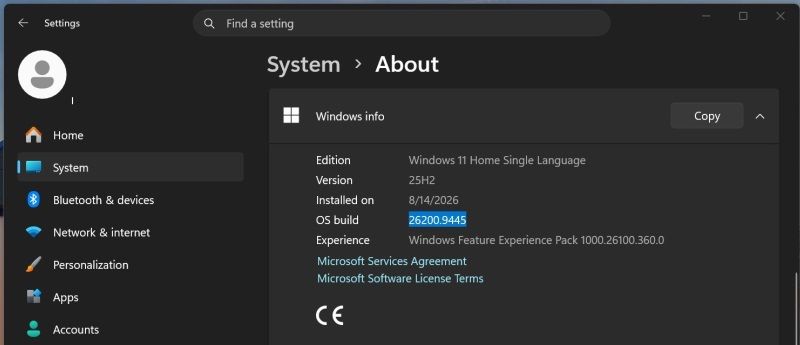
Image Source: Windows Latest
According to Microsoft, the Sound section of Windows Settings may also no longer display correctly, making it difficult to resolve the issue through Settings. In addition to this, it is recommended to check the logs in Device Manager, but this will only allow you to find errors encountered during the operation of the operating system.
KB5124008 can also destroy microphones and multi-channel audio. Microsoft associates this issue with USB Audio Class 1.0 devices, but is not necessarily limited to speakers or standard audio playback. User reports indicate that the microphone may stop working on affected devices. Even if the audio device starts normally, another problem may occur: Windows may select the wrong audio configuration. Microsoft recommends temporarily switching to a dual-channel setup or using a different device.
According to reports, Microsoft is already developing a patch to fix the problems caused by KB5124008. The software giant may release it soon, but a specific date has not yet been announced.
If you find an error, select it with your mouse and press CTRL+ENTER.