

Anthropic has introduced three new AI tools for office work: Claude Meetings, Claude Sheets and Claude Whiteboards. They allow you to automate meetings, collaborative spreadsheet editing, and other office tasks.

Image source: Anthropic
Claude Meetings is able to join work meetings, take notes and remember the issues discussed. Claude Sheets is designed for spreadsheet collaboration, while Claude Whiteboards allows teams to post and organize ideas on a shared interactive whiteboard.
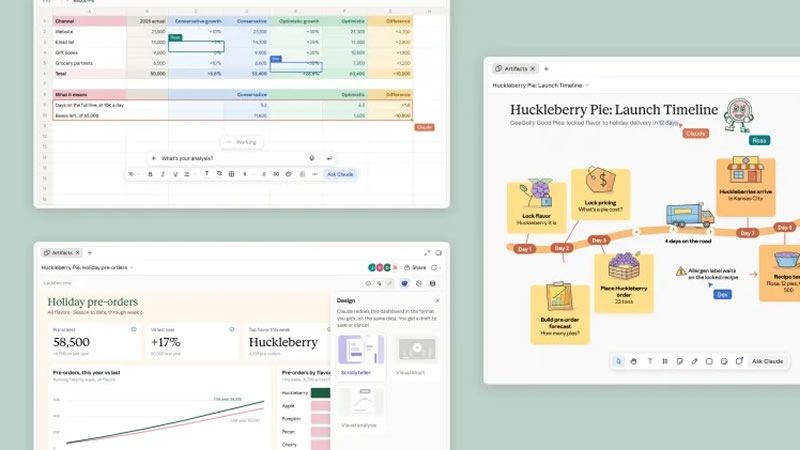
In addition, new tools make it possible to turn presentations into short explanatory videos lasting about one minute. All three products are available in beta, but Meetings is currently limited to Teams and Enterprise subscriptions, while Sheets and Whiteboards are available to paid users.
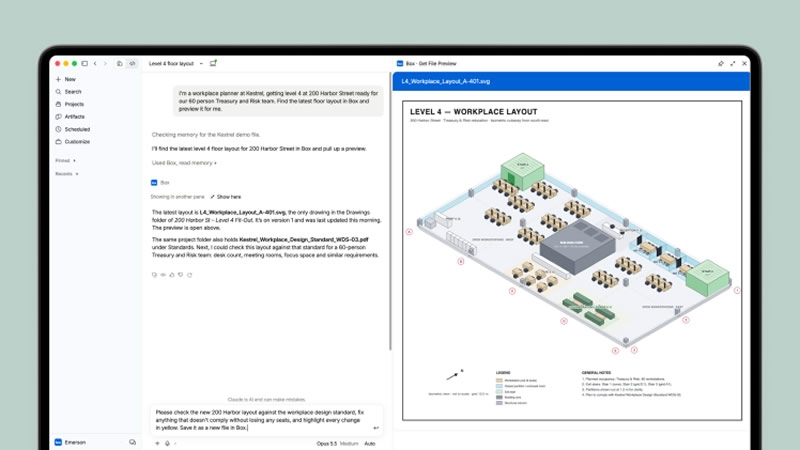
At the same time, Anthropic announced the full launch of Claude Data, formerly known as Claude Dashboards. The tool, which has been in beta since October, is now available to all paid users. The company also introduced interactive connectors that allow you to open third-party applications directly inside Claude.
Users will be able to work with Adobe’s built-in PDF editor and track marketing campaigns in HubSpot without switching between browser tabs. Anthropic previously launched a catalog of tools based on the Model Context Protocol, which already includes more than 9,000 plug-in extensions.
According to Nicholas Lin, Anthropic’s product development manager, the company plans to extend the changes that Claude Code brought to the work of programmers to other professions. In conversation with the publication The Verge he noted that implementing AI among non-technical workers still poses many challenges. Therefore, Anthropic set itself the task of making work tools more accessible directly from the Claude interface.
The new products come amid competition from Google and OpenAI, which are also developing AI tools for office tasks. Gemini can already join meetings and take notes in real time, and ChatGPT offers similar capabilities through features called Recording.
If you notice an error, select it with the mouse and press CTRL+ENTER.