“Gears of War: E-Day” will be the first game to support RTX Mega Geometry, Nvidia’s new rendering technology designed to enhance ray tracing using Nanite geometry in Unreal Engine 5. The game will be released on October 6 and will also support DLSS 4.5 and Nvidia Reflex on GeForce RTX GPUs.
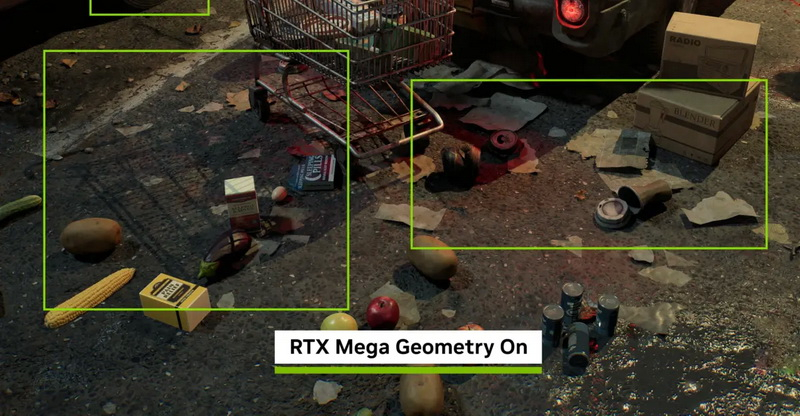
Image source: NVIDIA
Nanite can render highly detailed geometries by automatically adjusting the visibility of details. Nvidia says that the current Nanite implementation of ray tracing still uses a separate simplified mesh to implement the acceleration structure. This means that shadows and reflections can be produced from geometry that does not match the detailed objects visible on screen.
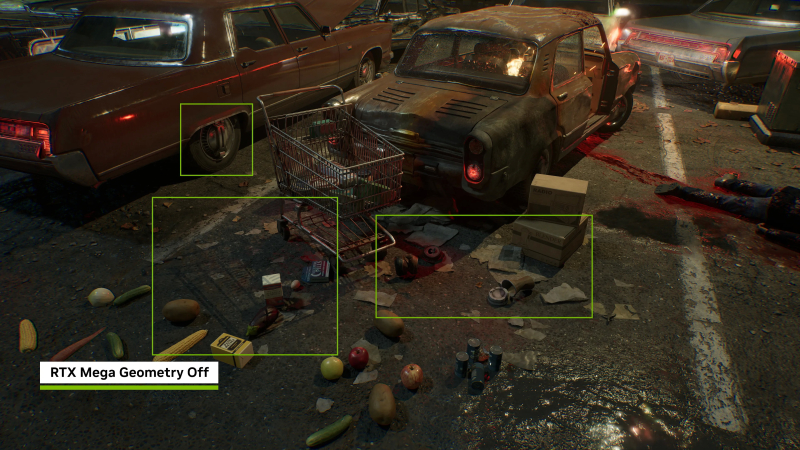
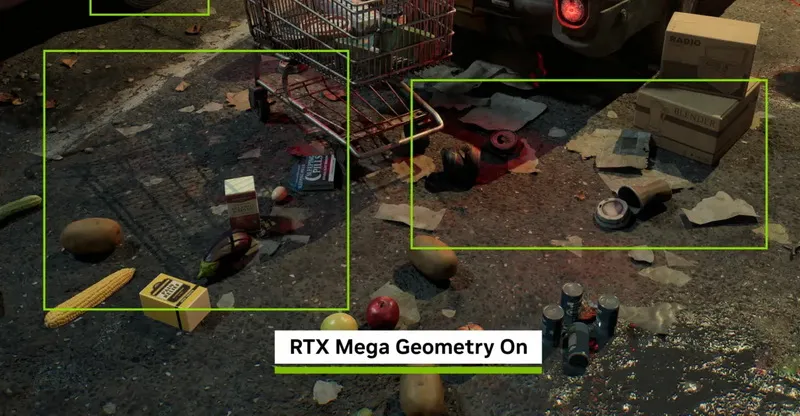
RTX Mega Geometry off (top) and on (bottom)
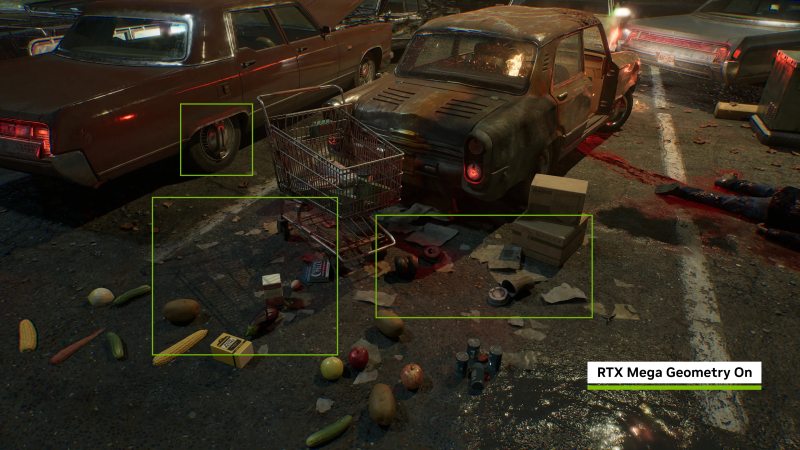
RTX Mega Geometry technology changes this by enabling ray traced scenes to use more detailed Nanite geometry. Nvidia says this improves shadows on objects like vehicles, rocks, foliage, and various debris, while reflections bring geometry closer to what Nanite actually renders.
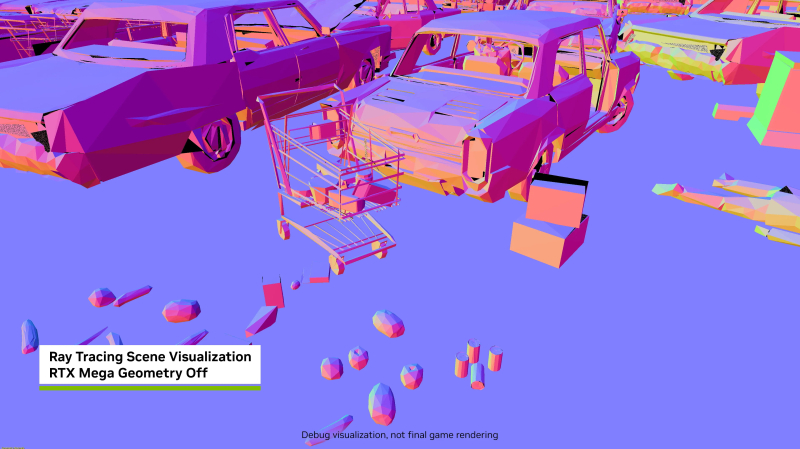
RTX Mega Geometry off (top) and on (bottom)
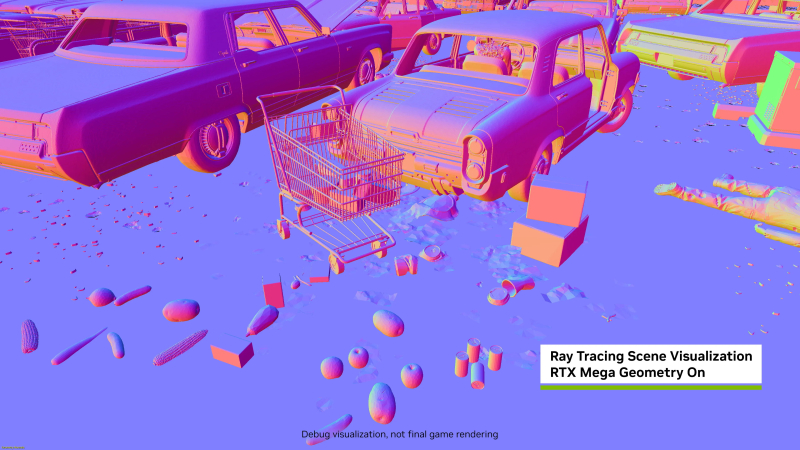
The company also says RTX Mega Geometry can reduce flickering and other artifacts in ray-traced shadows and reflections when the player or camera moves. Nvidia has been developing the technology for six years and says the results will later be incorporated into Microsoft’s DirectX Raytracing 2.0 standard.
Gears of War: E-Day uses the Unreal Engine 5.8 game engine and supports Lumen and MegaLights ray tracing. Users of GeForce RTX graphics cards will also have access to DLSS 4.5 ultra-high resolution technology, dynamic multi-frame generation and Nvidia Reflex. Nvidia says RTX Mega Geometry will run on all GeForce RTX graphics cards, although performance will naturally vary based on the chosen GPU and ray tracing settings.
It should be emphasized that RTX Mega Geometry is not intended to be used in just one game. Microsoft plans to introduce this core technology as part of DXR 2.0, which will allow developers to use Nanite’s detailed geometry in ray-traced scenes in other Unreal Engine 5 games.
If you find an error, select it with your mouse and press CTRL+ENTER.