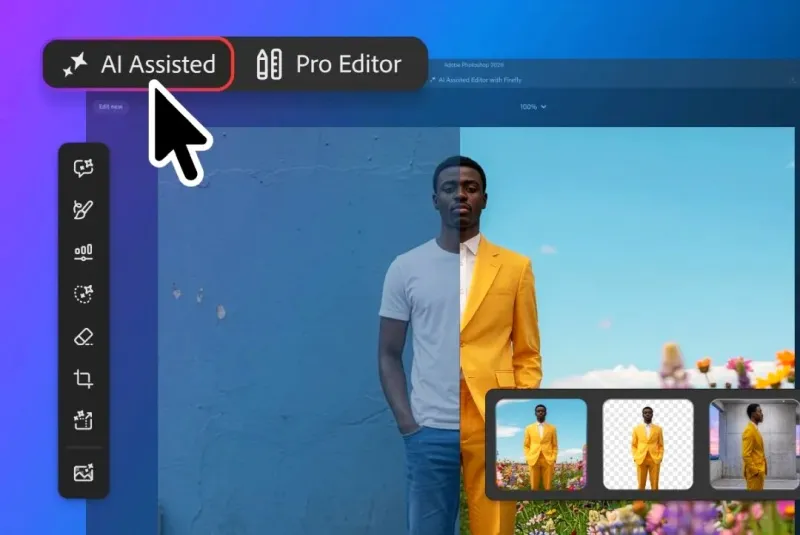
Adobe has released an update for Photoshop, which includes a new AI-assisted editor mode that integrates all AI functions into a single toolbar, including guided image editor, background removal, AI image enhancement, and more. The new panel is currently in beta testing.
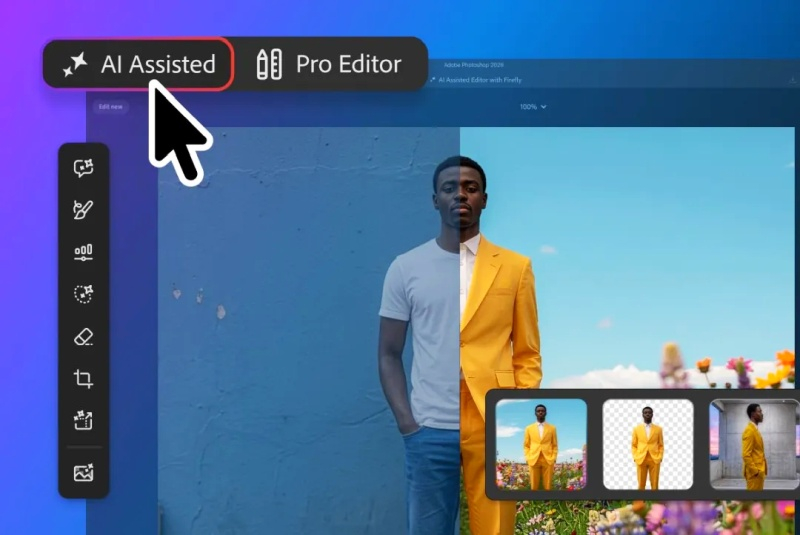
Image source: Adobe
The latest update also introduces new methods for AI-optimized editing, including a markup feature that lets you draw directly on an image to show the AI assistant what needs to be changed. According to Adobe, users can select areas to redraw, draw arrows to indicate locations, or draw rough shapes to suggest new elements without using text hints.
Additionally, Adobe has updated the Edit with Mask feature, allowing you to edit masks using natural language prompts. The company says its Firefly Image 5 model can now understand the entire context of an image, so users will no longer have to manually mark each area for editing. Instead, it is enough to describe what exactly needs to be changed, such as “open the closed eyes” or “put a hat on the person’s head.”
If you find an error, select it with your mouse and press CTRL+ENTER.