Modular laptop maker Framework has confirmed reports of failed BIOS updates for Framework Laptop 13 laptops equipped with AMD Ryzen 7040 processors. According to the company, a small number of updates caused the device’s motherboard to become unbootable. Framework said it is investigating the cause of the problem.
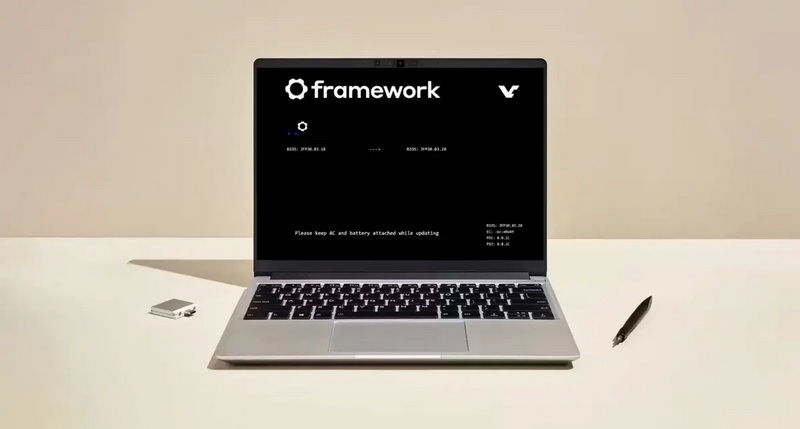
Image source: Frame
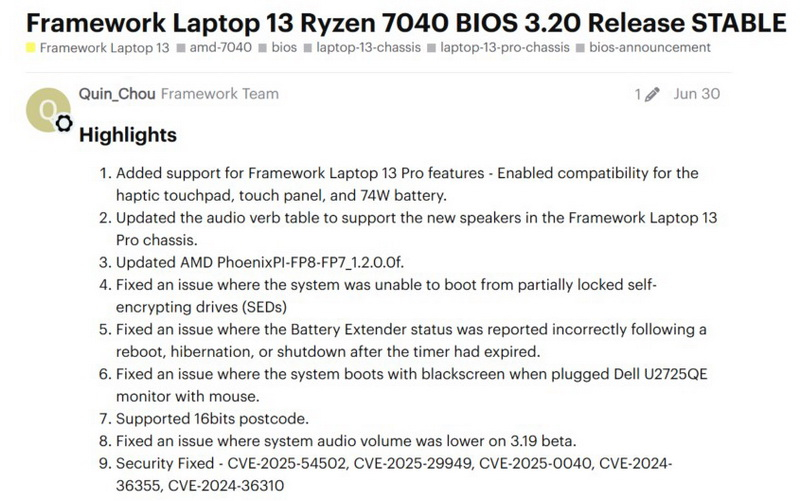
These messages relate to BIOS 3.20, which was released as a stable update in June. The firmware adds support for new components of Framework Laptop 13 Pro, including a trackpad with haptic feedback, a trackpad and a larger battery. It also updates AMD PhoenixPI and includes multiple fixes and security updates. Framework still lists BIOS 3.20 as the latest firmware version for Ryzen 7040-based systems.
Framework noted in its statement that it “received reports that a small number of BIOS updates for the Framework Laptop 13 7040 series are causing the motherboard to become unbootable.” [ноутбуков]”The company is investigating the cause of the issue,” the statement said. In a statement to Ars, Framework said: “…in addition to replacing motherboards within the warranty period, if we can confirm that updating the BIOS to a stable version causes the motherboard to become unbootable, we will make an exception to replace the motherboard that is out of warranty.” The company has also introduced a BIOS “crash recovery mode” feature that allows you to restore the system directly from the update.”, reports the ArsTechnica portal.
Some members of the Framework community have reported that the update freezes during installation. An owner of a Ryzen 7 7840U-based laptop said that a BIOS update from version 3.18 to 3.20 stopped at the second progress indicator. Other users have described similar glitches that prevent their systems from booting properly.
Some users managed to restore their laptops using an external programmer and a direct BIOS flash. This is a non-standard recovery process that requires direct access to the BIOS chip.
If you find an error, select it with your mouse and press CTRL+ENTER.