Need to fast forward or rewind in a YouTube video? this Double tap This is one of the most convenient and appreciated features of the platform (unless we accidentally find ourselves in the next video). Well, apparently YouTube is launching one New interface Designed to make it more usable. According to reports from colleagues at Android Authority, some users have started to notice the change. Let’s take a closer look at all the details.
News
Let’s clarify an important point first: double-clicking still works as before, so nothing has changed on an operational level. The new feature focuses on what’s shown on the screen: after touching the display twice, a appears on the red progress bar Indicator indicating the number of seconds skipped. Below we use a picture to help you understand better:
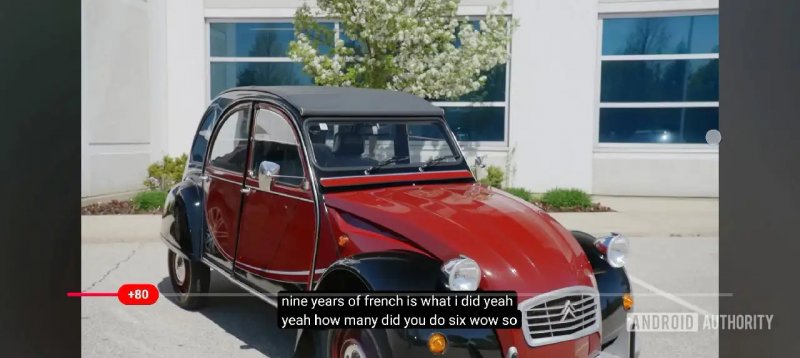
For the rest, as expected, nothing has changed: you can still double-tap the right or left side of the screen to move forward or backward in the video, as is currently happening. These changes are currently visible on the device Pixel 10 Pro, Pixel 11 Pro and Galaxy Z Fold 7 Stable version 21.33. You can also find the video shared by the newspaper below.
at the moment We haven’t noticed these changes on our devices yetbut we will continue to monitor the situation and update you as it arises. It’s possible that YouTube is just testing the new feature and won’t roll it out permanently. The goal may be Make the experience clearer and more intuitivebut it’s unclear whether this change will be extended to all users or will remain limited to the testing phase.