
No-download games: How browser projects work and why they no longer require installation
This format, which until recently was associated with the original glitter craft, has grown significantly in recent years. modern No download required games They are compiled on the same engine as mobile projects and launched in a tab within seconds.
Let’s take a look at what exactly happens when the page is opened, and why there is no need to install a client in this scenario.
What happens when you open a tab
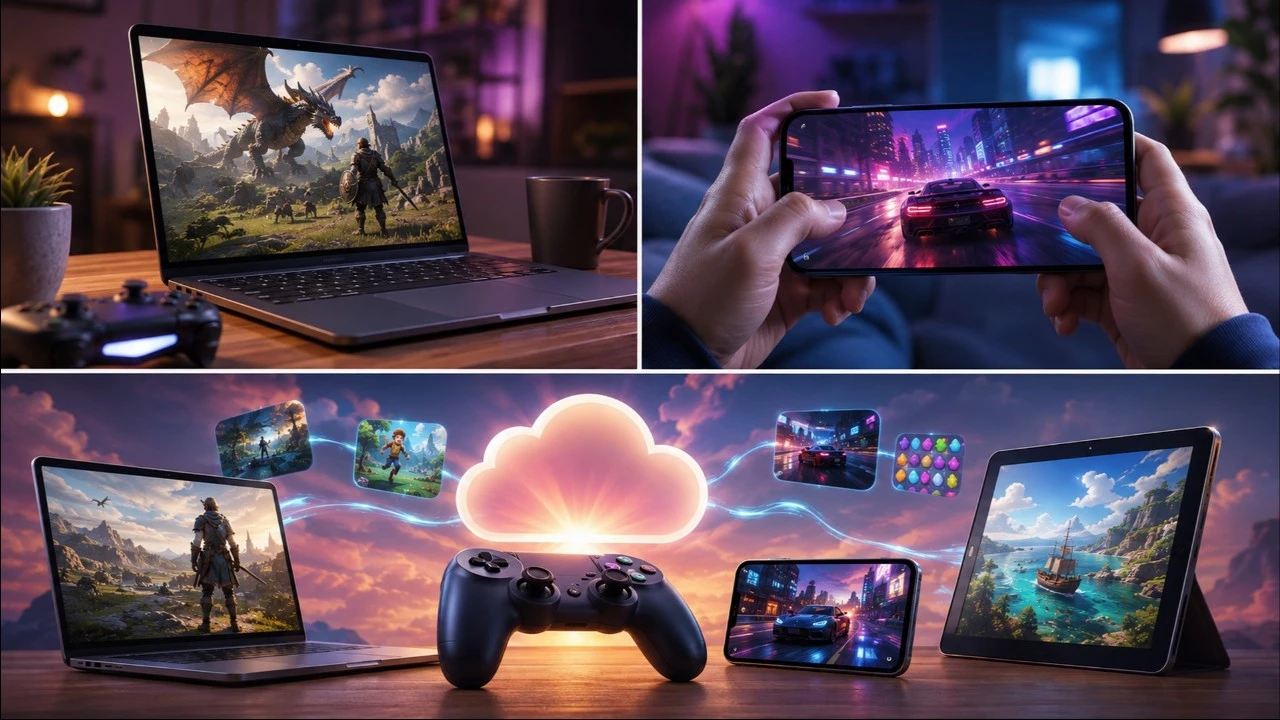
Browser games arrive on the device the same way a regular website does: pages, scripts, textures, sounds. In this case, the video card does the rendering – the same hardware-accelerated job as in the video player or card.
The engine has long done the hardest part. Unity compiles browser builds as standard, Godot does the same, and some projects are written for the web from the start. No need to keep separate versions for each system; the assembly will be the same for everyone.
The performance of this device is no longer at the level of flash memory. The browser executes code transferred from the desktop platform almost as fast as a regular program, so there are not only clickers on the web, but also pretty honest 3D graphics.
The browser obtains the peripherals on its own. Keyboards, mice, touch screens, and game controllers can operate normally without drivers or compatibility layers, and sound output is normal. The game only needs to know what is being linked, the browser handles the rest.
Why no need to install
The client is installed on the system for its libraries, disk access, and resource space. Browsers already provide all of this in a ready-made form: startup environment, graphics, input, sound, and networking. Additionally, it is installed for all games at once rather than for each game individually.
Resources will not disappear after first startup. They end up in your browser cache, so opening them again is faster than the first time. Unlike installation, the cache is controlled by the browser and cleared using standard tools, eliminating the need to uninstall programs and leftover entries in logins.
So the net result is: you can play the game for free without having to download it on a device that doesn’t have the permission to install the program. A corporate laptop with administrator policies is no different than a home laptop.
Where is progress stored?
The first question that arises is: if nothing is installed, where is the saved content written? There are two options, and they often work together.
- Browser local storage. The data is on the device and tied to the domain, so progress is saved between sessions but disappears when the site data is cleared.
- The server stores it by account. After logging in with your Yandex ID, your progress and achievements will be linked to your profile and displayed on another device.
The second option ends the main complaint about the format. No one is bothering you from playing games without authorization, but the results only last until you clean your browser.
Sync between devices can also be done through your account. If the project supports cloud saves and you’re signed in to the same profile, you can continue a game launched on your computer from your phone.
Hardware requirements and performance
The load falls on the video card, but it’s small: browser projects usually have enough built-in graphics. The RAM consumption is even more noticeable since the tabs separate it.
The four things that most commonly affect frame rate:
- Browser version – Older versions don’t support some graphics features, and images are either simplified or don’t launch at all;
- Hardware acceleration – if you turn it off in settings, rendering will go to the processor and frame rates will drop significantly;
- Backstage tabs – dozens of open pages that take up the game’s memory and CPU time;
- Power saving mode on laptops – The browser itself reduces the frame rate to allow for charging.
At the same time, barriers to entry remain low. Free, no-download online games designed for mainstream hardware, including integrated graphics and budget smartphones, with virtually no processor requirements.
Format restrictions
It’s more honest to name them right away so that expectations match reality:
- Volume is limited by loading time, so open worlds of tens of gigabytes will not be transferred to the browser;
- The game runs in an isolated environment, with no files on disk visible, so modding and editing configurations are no longer necessary;
- There are network modes, but they’re designed for short sessions, not voice chat bursts;
- Gamepad support varies by browser and operating system.
None of these points interfere with the genres this format lends itself to: arcade, racing, puzzle, manager, and turn-based strategy.
The introduction of browsers is no longer about compromise. Free games that require no installation have found their niche. The network can access the graphics card, normal performance, and cloud storage. In return, players have the opportunity to start and close the game while the page is loading, without leaving any files on the system.