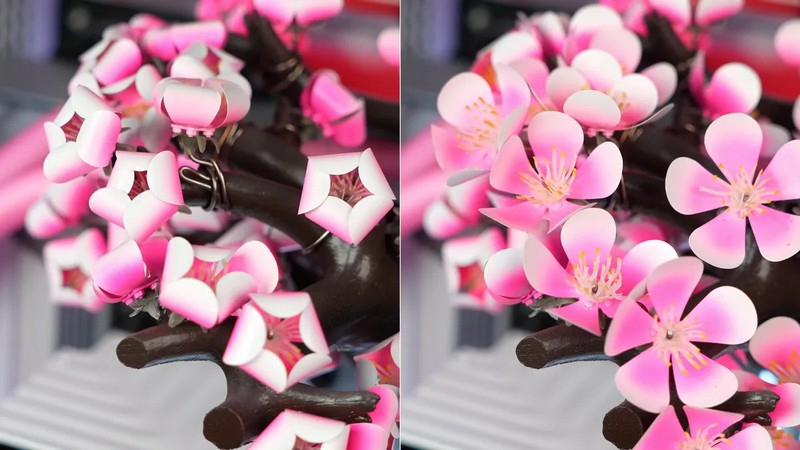
All kinds of RGB lighting and other PC bells and whistles pale in comparison to Australian company Aftershock PC’s Cherry Bloom computer. This liquid-cooled gaming PC features a cherry blossom model with 70 handcrafted titanium flowers that bloom as the device heats up. It is worth noting that this computer, including the thermal flower, is a series of products, not a unique customized modification.

Image source: Aftershock PC
Sakura models are not designed to include motors or drives that could fail. The process of opening the petals is entirely guaranteed by the heat generated by powerful computer components. These include an AMD Ryzen 7 9800X3D processor, 64 GB of fast DDR5 memory, a 1300 W modular power supply and a GeForce RTX 5080 graphics card.
The basis of the Cherry Bloom is the V2 chassis from Taiwanese company Advanced Performance Nexus (better known as APNX). This case has what APNX said “One of the largest viewing areas of its kind”: The glass spans three sides, allowing people to admire the magnificent “living sculpture” inside.
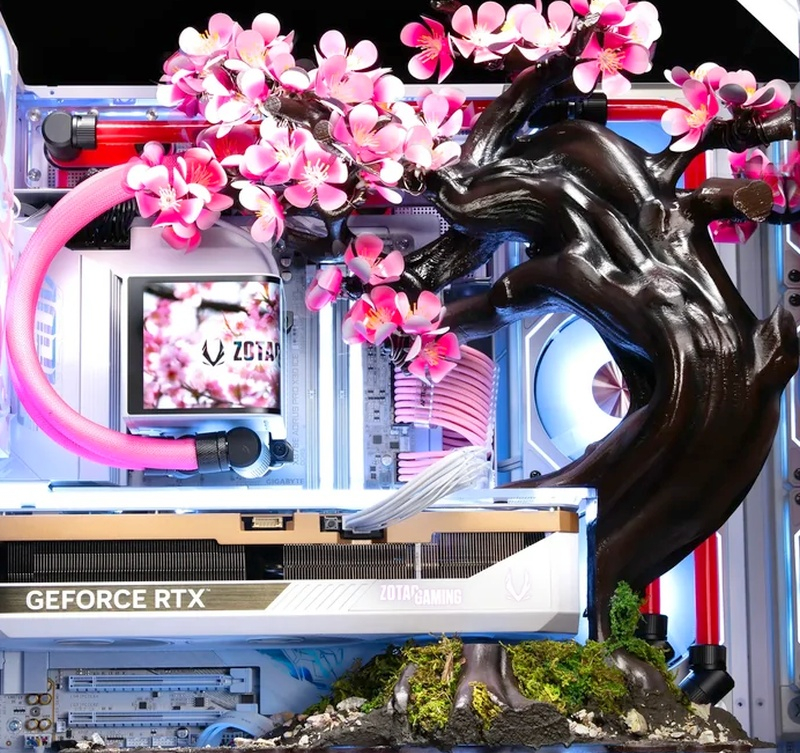
In addition to the components already mentioned, the kit also includes a 2 TB Lexar NQ790 PCIe 4.0 SSD, a custom open liquid cooling system, and eight Aftershock Chrome RGB fans.
If buyers don’t mind the impressive price tag of US$14,150 (AU$20,000), the Cherry Bloom PC is available to buy now from Aftershock PC. At this price, it’s logical to expect top-tier components like the Ryzen 9 9950X3D and GeForce RTX 5090 graphics card, but this computer is more than just a functional device, it’s a true work of art. It’s not the hardware that buyers pay for, it’s the incredible visual design.

Clearly, Cherry Bloom isn’t a PC that the masses will buy. This is a pretty interesting marketing strategy from Zotac Gaming (the company that developed this computer, according to the product description). However, the mechanic itself is truly surprising. On the Aftershock website you can watch a video demonstrating how the “petals” of this “tree” open; it’s truly impressive to watch the mechanism in action.
If you find an error, select it with your mouse and press CTRL+ENTER.